
How to choose office accessories that boost productivity and fun
You spend a third of your day at your desk, yet most office setups are built for hardware, not for humans. You get the chair, the screen, the keyboard, and then you are left to wrestle with clutter, distractions, and that low-key feeling that your workspace is sucking up more energy than it gives back.
The good news is, you do not need a total office makeover to fix that. With just a handful of smart, playful accessories, you can turn the same square meter of desk into a space that keeps you focused, organized, and genuinely happy to sit down and work. Your goal is not just productivity. It is productivity with personality.
This guide shows you how to choose office accessories that actually earn their place on your desk. You will learn a simple selection method, see how fun design can support serious work, and discover specific products from Monkey Business that solve everyday problems with a wink, not a lecture.
We will start on the surface, with the obvious must haves. Then, step by step, you will uncover deeper "landmarks" on the map, like how layout affects your brain, why visual cues matter, and how a tiny desk bunny or cat hook can reduce stress more than you expect.
By the end, you will know exactly which accessories to buy, which to skip, and how to build a setup that feels like you, while quietly boosting your focus, speed, and mood.

What you will discover
Here is your quick map of what is ahead:
1. Why the right office accessories matter more than you think
2. A simple system for choosing accessories that work hard for you
3. How to organize your desk without killing the fun
4. How to add playfulness that boosts, not distracts from, productivity
5. True to life examples using Monkey Business favorites like Ginger and Morris
6. Key takeaways and a practical FAQ to help you get started today
Section 1: Start with the surface level
See your desk as a tool, not a storage unit
Look at your desk right now. Is it helping you finish work faster, or quietly slowing you down with every sticky note, cable, and mystery pen cap?
Research from the Princeton University Neuroscience Institute found that physical clutter competes for your attention, which makes it harder to focus on a single task. In other words, that random pile in the corner of your desk is literally taxing your brain.
You do not need dozens of gadgets to fix this. In fact, Monkey Business suggests that five right tools can make your workday smoother, clearer, and more productive than a drawer full of forgotten accessories.
Your first step is simple. Stop thinking "What can I add?" and start asking "What job needs to be done?"
Identify your biggest daily pain point
Before you buy anything, pinpoint the one thing that annoys you most during the day. Is it:
• Cluttered cables and nowhere to hang your headphones?
• Important notes that disappear under a notebook?
• A water bottle that hogs half your desk space?
• A setup that feels flat, boring, and a little soul crushing?
From the original Monkey Business guide, the recommendation is clear. Start with the accessory that solves your biggest pain point first. Then layer in more pieces only if they support a specific role.
For example, if your cables keep migrating across your keyboard, you might start with Ginger - Screen hook, the cat-shaped screen hook. If your desk is neat but your to-dos vanish into digital chaos, Morris - Mule memo holder will do more for your sanity than another app.
Use the five role method to avoid clutter
To keep your workspace clean and intentional, adopt the five role method mentioned in Monkey Business content. You give each accessory one clear role and you only keep one tool per role.
Common roles are:
1. Display: monitor riser, laptop stand
2. Light: adjustable LED desk lamp
3. Focus: headphones or sound tools
4. Hydration: bottle or mug solution
5. Visual cues: note holders, boards, or sticky systems
If you already own something that does a role well, you keep it and move on. If you do not, you fill that gap with the best fit for your space and budget. This keeps your desk from becoming a museum of good intentions.
Section 2: Reveal the first hidden insight
Your accessories shape how your brain works
Once you handle the obvious clutter, the next insight appears. Your office accessories do more than store stuff. They nudge your attention, your posture, and even your energy.
For example, a study from the University of Utah found that people using larger or multiple screens completed tasks up to 44 percent faster and made fewer errors than those on a single display. That is not just "nice to have." It is a measurable performance boost, just from one category of tool.
The same principle applies to smaller accessories. The American Optometric Association notes that poor lighting increases digital eye strain, headaches, and fatigue. An adjustable LED desk lamp with brightness and color temperature controls can therefore do as much for your productivity as another productivity app, but with fewer notifications.
So, when you pick accessories, you are not decorating. You are shaping how future you will feel at 3 p.m. on a busy Thursday.
Design with vertical space and reach in mind
If you have a small desk, you know the struggle. Every new item is a tradeoff. According to Monkey Business, the trick is to prioritize vertical and compact tools. That means:
• Laptop riser to free typing space
• Clamp-on lamp instead of a big table lamp
• Wall or screen mounted note solutions
• Hanging or tucked-away storage for bottles and headphones
This is where playful, functional pieces earn their keep.
Ginger - Screen hook, the cat screen hook, attaches to the top or side of your monitor and instantly gives you a tail-shaped hook for your headphones, cables, or keys. It uses zero desk footprint, solves a real storage problem, and adds a little grin to your setup every time you reach for your gear.
The Discreet - Bottle hanger hangs safely off the desk, where you can still reach it but it no longer crowds your work surface.
Use visual cues to manage your attention
Your brain loves visual reminders, which is why corkboards, memo holders, and whiteboards remain effective even in a digital age.
Visual tools help you:
• Keep priorities in sight
• Park ideas you do not want to forget
• Reduce mental load by externalizing tasks
Monkey Business highlights this in the way Morris - Mule memo holder is designed. His mouth clip stores blank notes until you need them, and he can display to-dos or messages where you will definitely see them. It is charming, but beneath the charm is a serious productivity win. Your most important tasks stop living in your head and start living in front of your eyes.
For wall space, the Memo Mountain - Mini cork boards from Monkey Business create a compact zone for pinning quick tasks and ideas. Pairing these with digital tools like Trello or Notion gives you the best of both worlds, quick analog visibility and structured digital tracking.
Section 3: Add new layers to the map
Turn cable chaos into calm
Cables are sneaky. One day your desk looks fine, the next, you have a nest under your monitor and you are untangling a charger in the middle of a call.
The key is not just to hide cables, but to give them predictable homes. For example:
• Use a screen hook like Ginger - Screen hook for headphones and frequently used cables
• Use elastic bands, such as Gifted - Multicolour silicone ribbons, to bundle spare cords
• Route long cables along the back edge of the desk with clips or adhesive guides
Gifted - Multicolour silicone ribbons from Monkey Business are tiny but versatile. You can secure notebooks, wrap loose chargers, or group pens and markers. Unlike disposable ties, these bands are reusable and colorful, so they are easy to spot and actually pleasant to use.
The benefit to you is faster setup and less friction. You know where everything lives, so you spend less time hunting and more time doing.
Invite structured play into your workspace
Here is a deeper insight many people miss. Fun is not the opposite of productivity. When it is used thoughtfully, fun is a tool for it.
Studies from organizations like Gallup have repeatedly linked higher employee engagement and positive emotion with better performance and lower burnout. Your personal desk might not be a corporate program, but the principle still holds. Little moments of delight can reset your brain and make long days more sustainable.
Monkey Business designs lean into this idea. A few examples:
• Sneakers Peekers - Bunny fresh air keepers can freshen up stale office air while adding a friendly face to your shelf.
• Air Claire - Bunny air freshener quietly fights odors while doubling as decor.
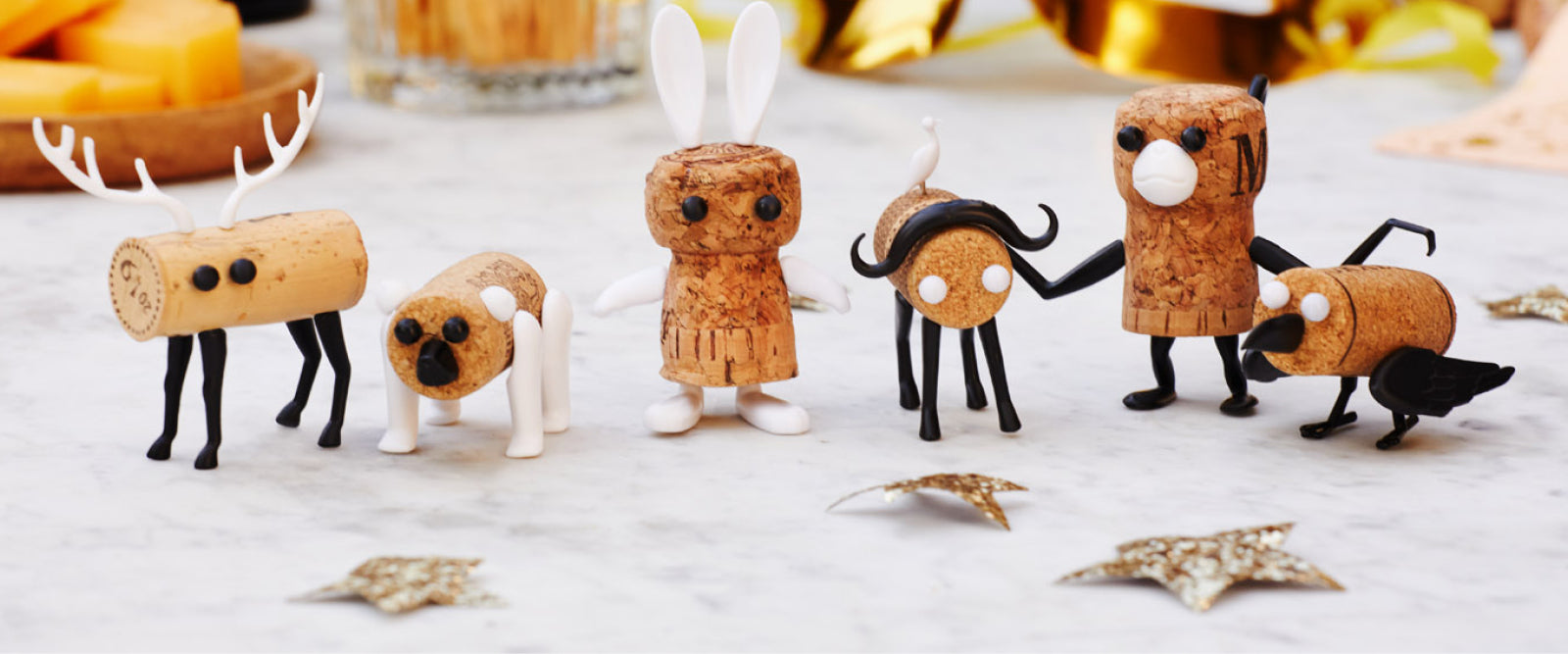
• Corkers Totem turns wine corks into a totem you can stack for after-hours celebrations or as a playful break-time project.
None of these accessories replace core tools, but they serve another role. They remind you that your desk is part of your life, not just your workload.
Support your body to support your focus
Even the most beautiful desk fails if your body is exhausted. Here is where your "bigger" accessories come into play, working alongside the smaller ones.
From Monkey Business' productivity kit approach and broader ergonomic research, a strong baseline usually includes:
• Either an adjustable standing desk or a genuinely ergonomic chair
• A monitor or laptop riser to keep the top of the screen near eye level
• Noise cancelling headphones or a white noise source
• An adjustable LED desk lamp
• At least one visual task manager in sight
Movement and posture are not nice extras. Research cited by ergonomic experts shows that alternating between sitting and standing improves circulation and helps maintain energy throughout the day. Accessories like risers, footrests, or even under desk ellipticals can complement your smaller desk items to create a full body friendly setup.
When your body is less strained, your playful tools, like Katz - Cat level and bottle opener, or Nail It - Finger saver, become enjoyable in practice instead of feeling like clutter you never touch.
How to choose the right accessories for you
Step 1: Audit your current setup
Take five minutes to scan your space and list:
• What is working
• What annoys you daily
• What you use every day
• What has not been touched in a month
Anything unused for 30 days goes in a box. Store it for a week. If you do not miss it, it probably does not belong on your desk.
Step 2: Match problems to roles
Next, assign your top frustrations to specific roles. For example:
• "Headphones always in the way" = storage and organization
• "Forget tasks" = visual cue system
• "Desk looks flat and dull" = mood and motivation
Then choose one primary accessory per role. A sample kit might look like:
• Ginger - Screen hook for hanging headphones and cables
• Morris - Mule memo holder for visible to-dos
• Discreet - Bottle hanger for hydration
• Memo Mountain - Mini cork boards for quick pin up notes
• Gifted - Multicolour silicone ribbons for cables and notebooks
This is lean, intentional, and easy to maintain.
Step 3: Add personality without adding chaos
Now you can bring in fun, but with a filter. Every new item must check at least one of these boxes:
• It solves a real problem
• It clearly boosts your mood
• It replaces something uglier or less functional
Desk decor with personality is the final layer, not the starting point. Monkey Business sums this up nicely. Their products prove that your workspace does not have to be boring, and that functional, fun accessories encourage organization, reduce stress, and inspire creativity.
So your Corkers Totem might not manage tasks, but if it makes you smile at 5 p.m., it is probably earning its spot.
Key takeaways
- Start by identifying your biggest pain point and choose one office accessory that solves it directly.
- Use the five role method, one tool per role, to avoid clutter and keep your desk intentional.
- Prioritize vertical, compact accessories like screen hooks and bottle hangers to free desk space.
- Layer in visual cues and playful pieces, such as memo holders and fresh air keepers, to support focus and mood.
- Regularly audit your workspace, remove unused items, and keep only accessories that earn their place.

Bringing your whole map together
You started with a simple question: which office accessories should you choose to be more productive and have more fun at your desk?
Step by step, you have mapped out something bigger. You have seen how a few smart tools, from adjustable lamps and monitor setups to tiny, clever designs like Ginger - Screen hook, Morris - Mule memo holder, and Discreet - Bottle hanger, can reshape not just your desk, but your daily experience of work.
You now know how to spot real needs, match them to specific roles, and layer in personality without slipping into clutter. You have seen how research on screens, lighting, and posture backs up what your body already tells you by mid afternoon. And you have discovered that playfulness is not a distraction when it is intentional. It is often the secret ingredient that keeps you coming back to your desk with a little more energy.
The next move is yours. Pick one problem, choose one accessory, and make one change today. Once you see how different your workspace feels, you can keep exploring the map, one clever addition at a time.
If your desk could talk a month from now, what story would you want it to tell about how you work and how you feel while you are doing it?
FAQ
Q: How do I choose which office accessory to start with?
A: Begin with your biggest daily frustration. Is it clutter, distraction, or a lack of personality? If it is clutter, try a screen hook like Ginger - Screen hook for headphones and cables. If it is forgotten tasks, start with a memo holder like Morris - Mule memo holder. One targeted fix will feel more impactful than buying a whole bundle at once.
Q: How can I avoid clutter when adding fun accessories?
A: Use the one role, one tool rule. Every accessory must have a clear job, such as holding notes, hanging cables, or freshening the air. If something is only decorative, limit yourself to one or two pieces that genuinely make you happy, and remove an older item to make space.
Q: Are playful office accessories still professional enough for work?
A: Yes, as long as they are functional and not disruptive. Monkey Business products, for example, are designed to be playful yet practical. A cat hook on your monitor or a mule memo holder on your desk adds personality without affecting your ability to focus or meet with clients.
Q: What if I have a very small desk or work from a shared space?
A: Prioritize vertical and clipping solutions. Use monitor hooks, wall mounted cork boards like Memo Mountain - Mini cork boards, and bottle hangers instead of bulky organizers. A laptop riser and a single 24 to 27 inch monitor can also free up valuable typing space while improving ergonomics.
Q: How do I know if an accessory is actually improving my productivity?
A: Give each new item a two week trial. Before you add it, note how often you lose time on a specific issue, such as searching for headphones or rewriting forgotten tasks. After two weeks, check if those moments have decreased. If you are not saving time or feeling better, that accessory might not be the right fit.
Q: Can I mix and match different Monkey Business accessories in one setup?
A: Definitely. Many of them are designed to complement one another. For example, Ginger - Screen hook can handle your cables, Morris - Mule memo holder can manage your notes, and Sneakers Peekers - Bunny fresh air keepers can freshen the air, all without overcrowding your desk. Just apply the role rule so each piece has a clear purpose.